Operations automation
One webhook, a client ready to go: automating onboarding with Make
How a single webhook creates numbered Google Drive folders, a new GoHighLevel location and Slack channels, then hands everything to the operations system.

Hanzla Amjad
· 4 min read
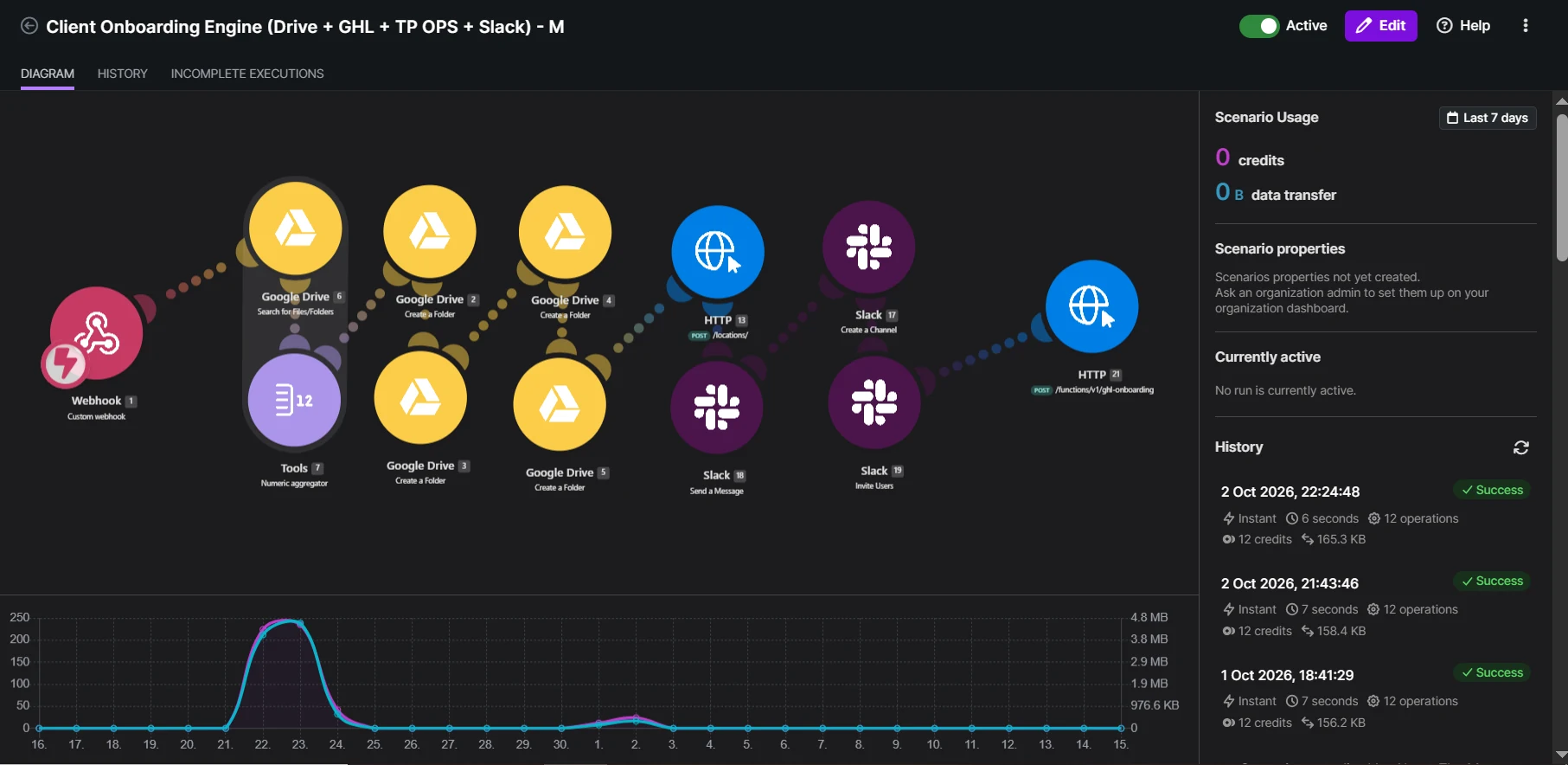
Onboarding a new client at an agency tends to look the same every time. Create the Drive folder. Create the subfolders. Set up the GHL sub-account. Make the Slack channel. Tell operations. It takes half an hour if everything goes well, and someone always forgets a step.
This scenario does all of it from one webhook, in under a minute. Here’s how it works.
The trigger
A single webhook receives the new client’s details: business name, contact person, address, timezone and a few service choices. That webhook can be called from a signed contract, a GHL form or an internal tool. Make doesn’t care where it comes from, as long as the data arrives in the same shape.
The first thing I do is validate. If the business name or email is missing, the scenario stops and alerts the team instead of creating half a client.
Numbering the client
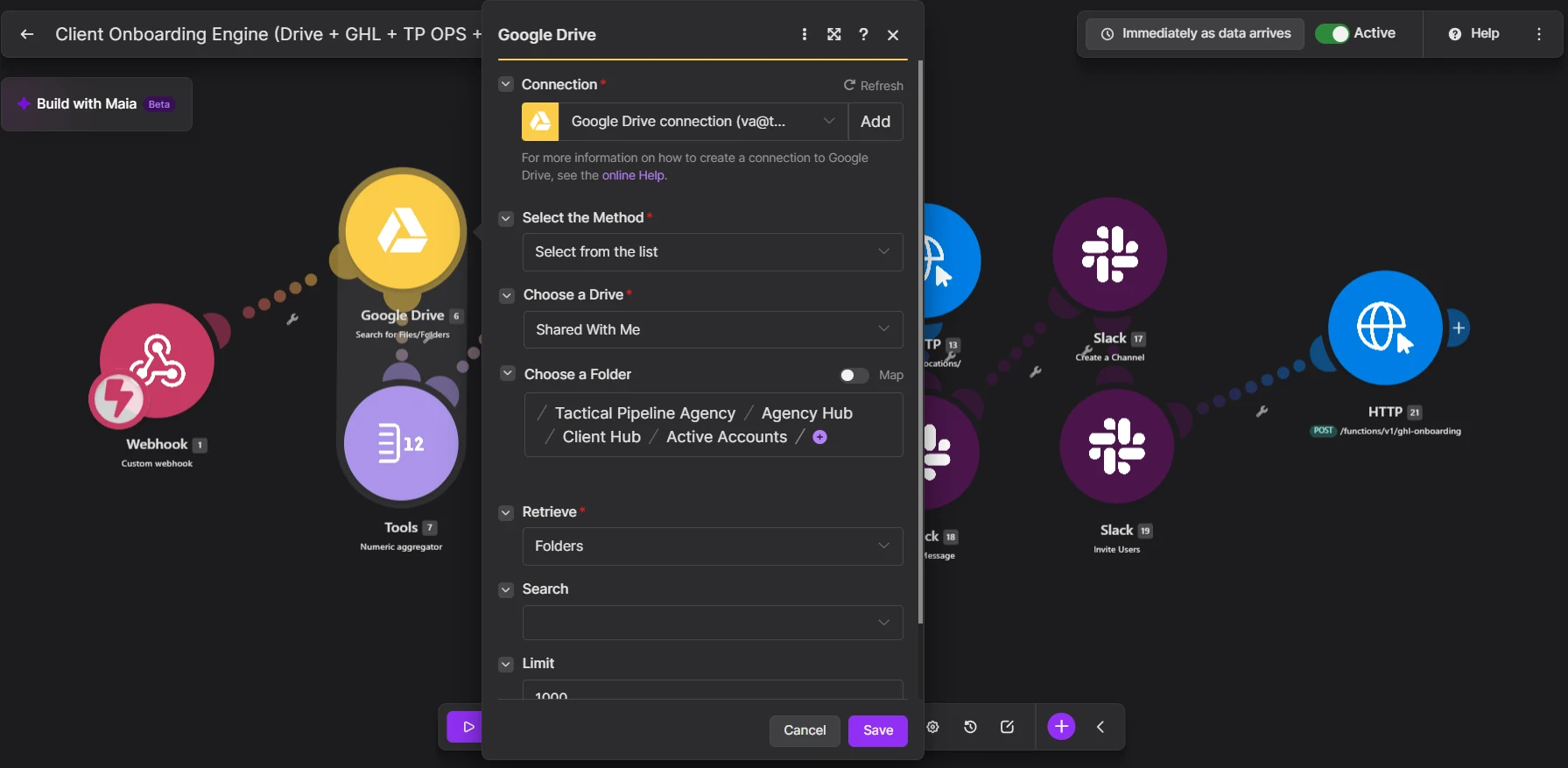
The agency numbers its clients, and the folder names start with that number. To generate it, Make searches Google Drive for existing client folders, counts them, and uses the count to build the next number.
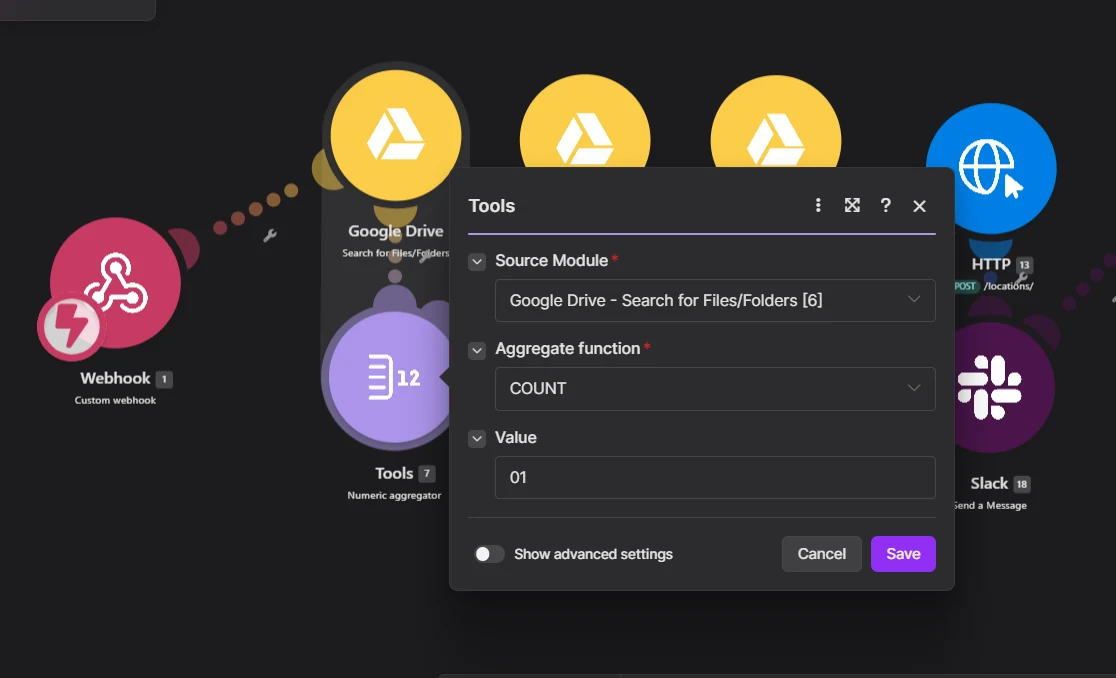
Counting folders is simple and it works, but it relies on nobody deleting or renaming old folders. If your agency is likely to do that, store the last used number somewhere safer, like a data store or a database row, and increment it.
Creating the workspace
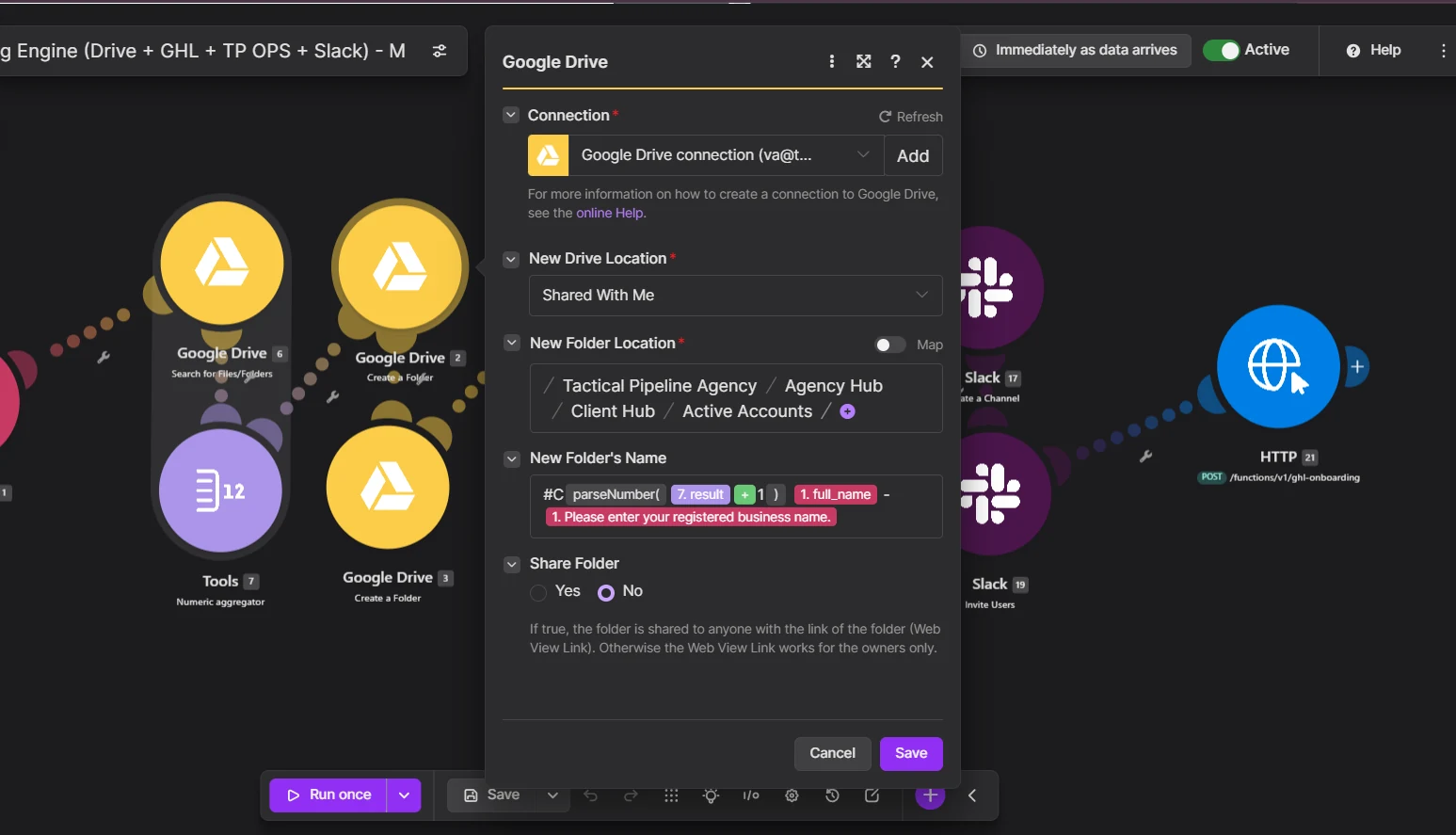
Make creates the main client folder with a consistent name, then three subfolders inside it: Dossier, Raw Media and Reports. Every client looks the same in Drive, so the team always knows where to put things.
Provisioning the GoHighLevel location
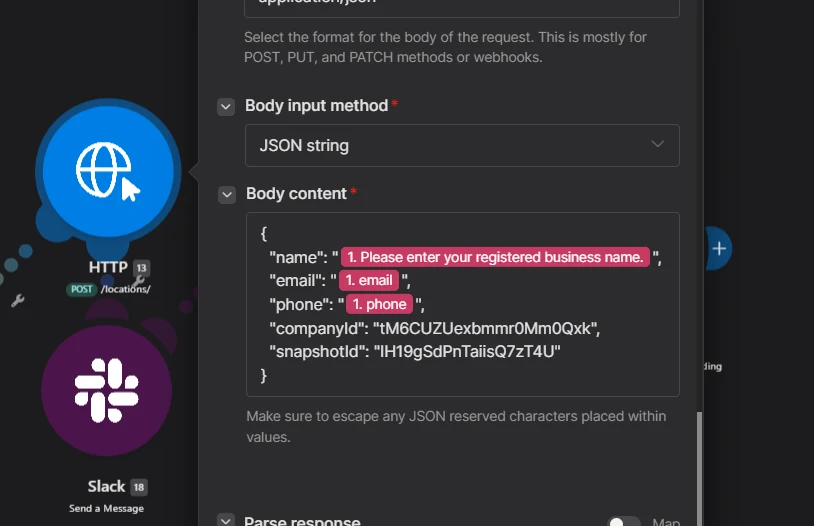
Next, an HTTP module calls the HighLevel API to create a new location (sub-account), mapping the business name, address, phone and timezone from the webhook. This needs an agency-level API credential, which should be stored in Make’s connection settings, never pasted into a module where someone could copy it.
If the agency uses a snapshot for new clients, this is where it gets loaded, so the sub-account starts with pipelines, workflows and templates already in place. (More on that in what a snapshot carries and what it doesn’t.)
Slack
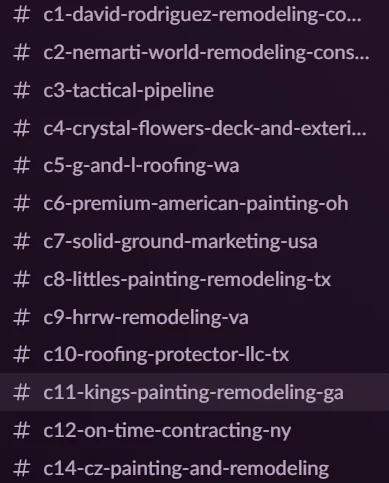
Make creates the client’s Slack channels using the same naming pattern and posts a welcome message with links to the new Drive folder and GHL location. The account manager doesn’t have to hunt for anything.
Handing over to operations
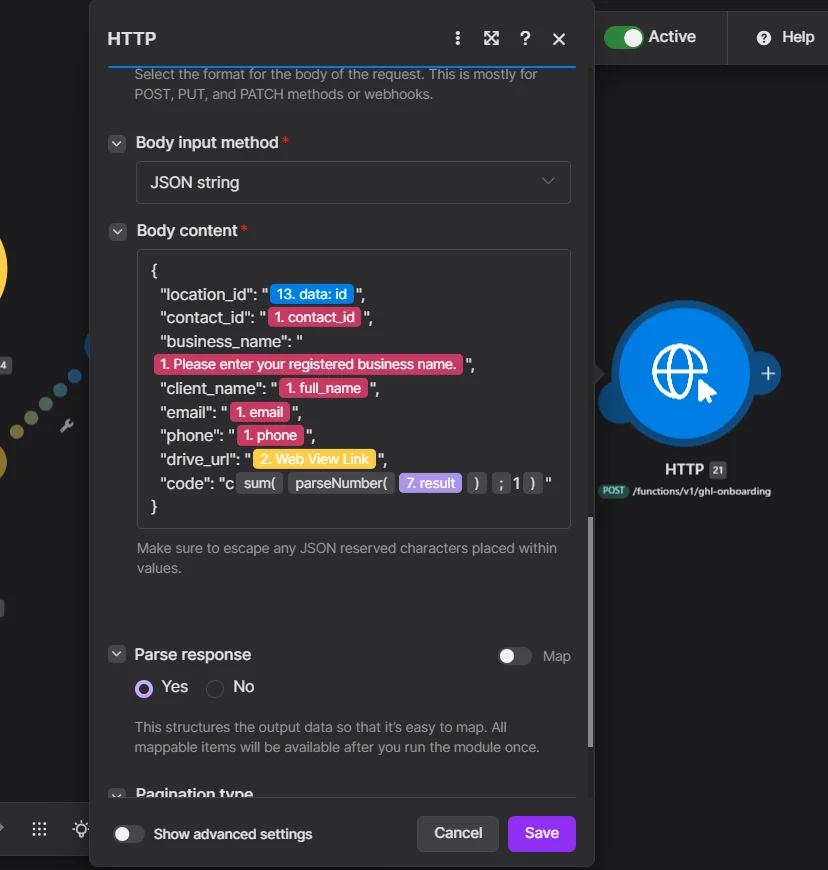
The final HTTP request sends a tidy payload to the agency’s operations system: client number, GHL location ID, folder IDs and channel names. Now every system knows about the client, and they all use the same identifiers.
When something fails halfway
Any scenario that creates things in four different systems needs a plan for partial failure. If Drive and GHL succeed but Slack fails, you don’t want to run the whole thing again and end up with two folders and two sub-accounts.
What I do:
- Add an error handler to each external step, so a failure is caught and logged instead of stopping silently.
- Send the team a message with the client name, the step that failed and the IDs of what was already created.
- Make each step safe to retry on its own: search before you create, so a retry finds the existing folder instead of making a new one.
It adds an hour to the build. It saves a messy afternoon the first time Slack’s API has a bad day.
Adapting it to your agency
The specific tools are less important than the order. Start by listing every step your team does today when a client signs, in the order they do it, and note what information each step needs. That list becomes the scenario. Some agencies add a welcome email from GHL, a ClickUp or Asana project, or an invoice in their accounting tool. Each is just another module after the webhook.
Why this is worth building
- Consistency. Every client gets the same structure, named the same way.
- Speed. The client can be welcomed the same day the contract is signed.
- Fewer mistakes. Nobody forgets the Reports folder or mistypes a channel name.
If I built it again for a busier agency, I’d add one thing: a check at the start that searches for an existing client with the same email, so a double-submitted form can’t create two of everything.